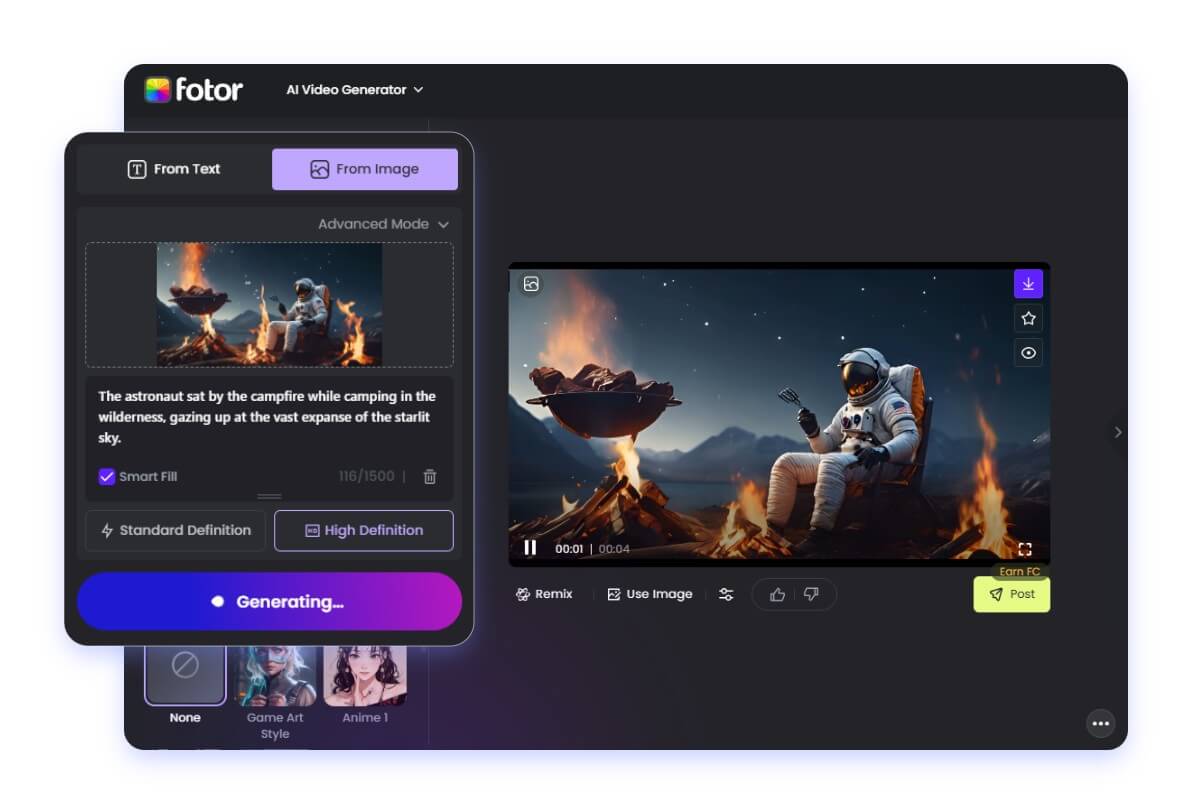
Free AI Video Generators: The Ultimate Guide to Creating Videos with Artificial Intelligence in 2024
Estimated reading time: 12 minutes
Key Takeaways
- Accessibility – Free AI video generators make professional video creation accessible to everyone.
- Feature-Rich Tools – Platforms offer diverse features like text-to-video and AI avatar creation.
- Limitations – Free versions may have restrictions on video length and export quality.
Table of Contents
- What Are AI Video Generators?
- Top Free AI Video Generators in 2024
- Key Features to Look for in AI Video Generators
- Limitations of Free AI Video Generators
- How to Make the Most of Free AI Video Generators
- The Future of AI Video Generation
- Tips for Choosing the Right AI Video Generator
- Conclusion
What Are AI Video Generators?
AI video generators are sophisticated software tools that use artificial intelligence and machine learning algorithms to create, edit, and enhance videos. These platforms can transform text prompts, images, or basic video inputs into polished, professional-looking content.
Top Free AI Video Generators in 2024
1. InVideo AI
InVideo’s free tier offers an impressive array of features, including:
- Text-to-video conversion
- Basic template library
- 720p video export quality
- Up to 10 videos per month
2. HeyGen
HeyGen’s free trial provides:
- AI avatar creation
- Text-to-speech functionality
- Multi-language support
- Limited video duration
3. Synthesia
Synthesia’s free trial features:
- AI presenter creation
- Professional templates
- Multiple language options
- Corporate-focused solutions
Key Features to Look for in AI Video Generators
1. User Interface
The best free AI video generators offer intuitive interfaces that allow users to:
- Navigate easily through features
- Access templates quickly
- Preview changes in real-time
- Export videos efficiently
2. Template Library
Quality platforms provide:
- Diverse template selections
- Customization options
- Industry-specific designs
- Regular template updates
3. Export Options
Look for generators that offer:
- Multiple resolution options
- Various file formats
- Reasonable export speeds
- Watermark-free exports (even in free versions)
Limitations of Free AI Video Generators
While free AI video generators are powerful tools, they come with certain limitations:
1. Time Restrictions
- Limited video duration
- Processing queue times
- Export waiting periods
2. Feature Restrictions
- Limited template access
- Basic editing tools only
- Restricted export quality
- Watermarks on some platforms
3. Usage Limits
- Monthly video creation caps
- Storage limitations
- Bandwidth restrictions
How to Make the Most of Free AI Video Generators
1. Planning Your Content
- Write clear scripts
- Prepare assets in advance
- Understanding platform limitations
- Setting realistic expectations
2. Optimization Strategies
- Use high-quality input materials
- Follow platform guidelines
- Leverage available templates
- Plan for platform-specific restrictions
3. Best Practices
- Start with short videos
- Test different features
- Save projects frequently
- Export in recommended formats
The Future of AI Video Generation
According to [Source], Stanford’s AI Index Report, AI video generation technology is expected to advance significantly in the coming years, with improvements in:
- Natural motion synthesis
- Realistic human representation
- Real-time rendering capabilities
- Enhanced customization options
Google’s recent entry into the field with their video generation capabilities suggests growing competition and innovation in this space:
- More sophisticated algorithms
- Improved rendering quality
- Better integration with existing tools
- Enhanced accessibility
Tips for Choosing the Right AI Video Generator
1. Consider Your Needs
- Project requirements
- Technical expertise
- Time constraints
- Quality expectations
2. Evaluate Platform Reliability
- User reviews
- Platform uptime
- Customer support
- Update frequency
3. Assess Output Quality
- Resolution options
- Rendering accuracy
- Audio quality
- Visual effects
Conclusion
Free AI video generators represent a significant step forward in democratizing video content creation. While they may have limitations, these tools provide an excellent starting point for individuals and businesses looking to create professional-quality videos without significant investment.
As technology continues to evolve, we can expect these platforms to become even more powerful and accessible, further revolutionizing how we create and consume video content.
Remember to:
- Start with clear objectives
- Understand platform limitations
- Plan your content carefully
- Make use of available tutorials and resources
- Regularly check for platform updates and new features
With these insights and tools at your disposal, you’re well-equipped to begin your journey into AI-powered video creation. The future of video content creation is here, and it’s more accessible than ever before.
Frequently Asked Questions
What are the main limitations of free AI video generators?
Free AI video generators often have limitations such as video duration restrictions, limited template access, and watermarks on exported videos.
How can I maximize the quality of videos created with free AI tools?
To maximize video quality, use high-resolution input materials, follow platform guidelines closely, leverage available templates, and optimize your content based on platform-specific features.
Are there any hidden costs associated with free AI video generators?
While the tools are free to use, some platforms may offer premium features at a cost. Additionally, free versions might include watermarks or have limitations on export quality and video length.
Can I use free AI video generators for commercial projects?
Yes, many free AI video generators allow commercial use, but it’s essential to review each platform’s licensing terms to ensure compliance.